
Authentication planning tool
Password Policy / Passkey Migration Advisor
Answer a few practical questions to get a clear recommendation for passkeys, FIDO2 security keys, authenticator apps, or a hybrid authentication rollout.
Clear answers for small businesses, nonprofits, schools, teams, and individuals deciding how to move beyond weak passwords.
Your result
Authentication Migration Plan
Recommended path
Risk level
Important warning flags
Helpful official resources
Learn from trusted cybersecurity guidance
Password Policy Passkey Migration Advisor: 7 Powerful Fixes
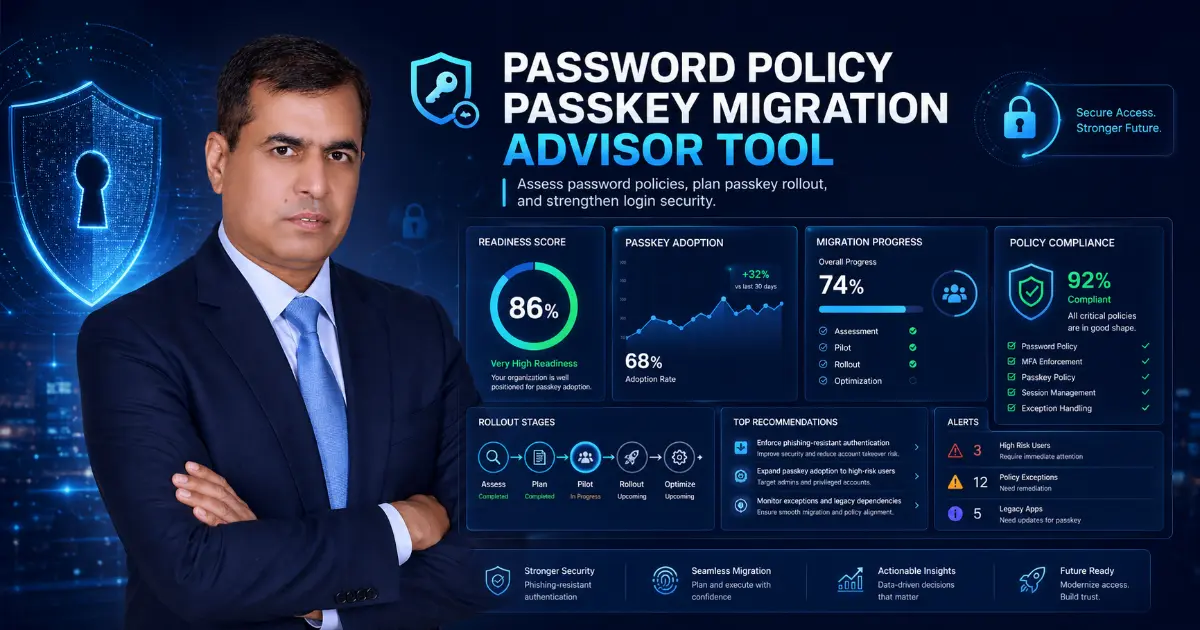
Password Policy Passkey Migration Advisor helps you choose the safest login upgrade for your situation. If you are confused between passkeys, FIDO2 security keys, authenticator apps, SMS codes, password managers, or a hybrid rollout, this tool gives you a clear answer.
Weak passwords are still one of the easiest ways attackers break into accounts. A reused password can expose your email, WordPress admin panel, hosting account, bank account, cloud storage, customer data, or business tools. The good news is that you do not need to fix everything in one day. You need the right first step.
Use the tool below, answer a few simple questions, and get a practical recommendation.
What Is the Password Policy Passkey Migration Advisor?
The Password Policy Passkey Migration Advisor is a simple cybersecurity decision tool. It helps users decide whether they should move to passkeys, use FIDO2 security keys, improve authenticator app coverage, or follow a safe hybrid rollout.
This tool is useful because every user has a different setup. A small business owner, WordPress website owner, school, nonprofit, freelancer, startup, and enterprise team may all need different login security steps.
Some users are ready for passkeys now. Some still use old apps that require passwords. Some need stronger protection for admin accounts first. This advisor helps you understand your best next move without technical confusion.
Why This Tool Is Useful
Many people search for stronger login security but leave confused. They read about MFA, passkeys, WebAuthn, FIDO2, passwordless login, authenticator apps, and SSO, but they still do not know what to actually do.
The Password Policy Passkey Migration Advisor solves that problem by giving a direct recommendation based on your answers.
It checks important login security areas such as:
- Current password habits
- MFA method
- SMS code usage
- Passkey readiness
- FIDO2 security key need
- Legacy app limitations
- Admin account risk
- Account recovery weakness
- Remote work and sensitive data exposure
The result is simple: a readiness score, risk level, recommended path, and practical next steps.
Who Should Use This Tool?
This tool is designed for real users, not only cybersecurity experts.
Use it if you manage:
- WordPress websites
- Business email accounts
- Hosting and domain accounts
- Online banking or payment tools
- Cloud storage
- Remote team access
- School or nonprofit accounts
- Client dashboards
- Admin accounts
- Customer data
The Password Policy Passkey Migration Advisor is also helpful for readers in premium cybersecurity markets such as the USA, UK, Canada, Australia, New Zealand, and Europe, where businesses care about account protection, cyber insurance readiness, privacy, compliance, and customer trust.
Passkeys, FIDO2 Keys, and Authenticator Apps
A passkey is a modern way to sign in without typing a normal password. It usually works with a fingerprint, face unlock, device PIN, or security key. Passkeys are easier for many users and can reduce phishing risk.
A FIDO2 security key is a physical key used for strong login protection. It is a strong choice for admin accounts, finance users, IT teams, developers, executives, and accounts that control sensitive systems.
An authenticator app creates login codes or approval prompts. It is usually better than SMS codes, but passkeys and FIDO2 security keys can provide stronger phishing resistance.
A hybrid rollout means using the best method for each situation. For example, you may use passkeys where supported, FIDO2 keys for admins, authenticator apps for older apps, and stronger passwords during the transition.
7 Powerful Fixes for Stronger Logins
Protect Important Accounts
Start with accounts that can cause the biggest damage: email, WordPress admin, hosting, domain registrar, cloud storage, banking, payroll, payment tools, and social media dashboards.
Stop Password Reuse
Never use the same password on multiple important accounts. One leaked password can open many doors for attackers.
Use a Password Manager
A password manager helps create and store unique passwords. This is especially useful while you are moving toward passkeys.
Move Away From SMS Codes
SMS codes are better than no MFA, but they should not be your final security plan. Use authenticator apps, passkeys, or FIDO2 security keys where possible.
Try Passkeys on Supported Services
Passkeys can make login easier and safer. They reduce password fatigue and help protect users from fake login pages.
Use FIDO2 Keys for Admins
Admin accounts need stronger protection. Use FIDO2 security keys for website admins, cloud admins, finance users, and IT staff.
Secure Account Recovery
A weak recovery process can defeat strong login security. Use backup codes, verified recovery contacts, admin approval, and stronger checks for sensitive accounts.
Simple 30 / 60 / 90 Day Plan
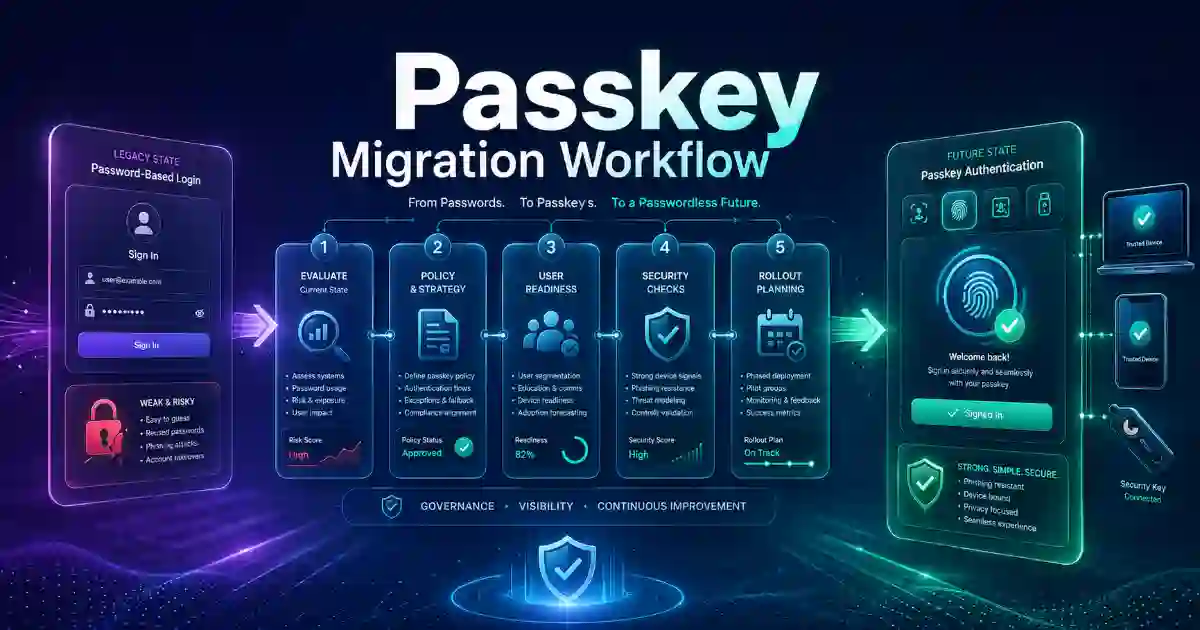
First 30 Days
Enable MFA on your most important accounts. Remove old admin users. Stop password reuse. Add a password manager. Review recovery emails and phone numbers.
Next 60 Days
Test passkeys on supported services. Move admin and high-risk users to FIDO2 security keys. Check whether your apps support modern authentication.
Next 90 Days
Expand passkeys to more users. Keep authenticator apps for systems that do not support passkeys yet. Create a simple login security policy for your team.
This plan keeps security practical. You improve step by step without breaking your workflow.
FAQ
What does the Password Policy Passkey Migration Advisor do?
It helps users choose the right login security path based on password policy, MFA, passkeys, FIDO2 security keys, legacy apps, and recovery risk.
Are passkeys better than passwords?
Passkeys can be safer and easier than passwords on supported services because they reduce password reuse and phishing risk.
Should I still use an authenticator app?
Yes. Authenticator apps are still useful when passkeys or FIDO2 security keys are not available.
Who needs FIDO2 security keys?
Administrators, finance users, IT teams, executives, developers, and anyone with access to sensitive systems should consider FIDO2 security keys.
Is this tool a full security audit?
No. This tool is for education and planning. It does not replace a professional audit, legal review, or compliance assessment.
Explore more practical resources on our Cybersecurity Tools page, where you can find free tools designed to support better security decisions. To review your authentication strength, use the Phishing-Resistant MFA Readiness Checker. Small business owners can assess broader security readiness with the Small Business Cybersecurity Scorecard Tool, while security teams can build board-ready reporting with the Cybersecurity KPI Dashboard Generator. For vulnerability prioritization, the CISA KEV Patch Priority Calculator can help identify known exploited vulnerabilities that need faster attention. For additional trusted guidance, review official resources from CISA MFA Guidance, NIST Digital Identity Guidelines, UK NCSC Passkeys Guidance, and FIDO Alliance Passkeys Information.