
Free SSL/TLS Security Tool
SSL Certificate Checker
Check certificate validity, expiry, issuer, domain match, TLS protocol, HTTPS redirect, HSTS, security headers, mixed-content hints, and DNS CAA in one clean report.
What this tool checks
Most visitors only want to know one thing: “Can I trust this website?” This checker turns technical SSL/TLS signals into a simple health score, clear warning labels, and practical fixes for website owners, developers, agencies, students, and online shoppers.
How to use this SSL checker
- Enter a public domain name, for example example.com.
- Click Check SSL and wait for the live report.
- Review the health score, expiry countdown, trust chain, domain match, TLS, HSTS, redirect, and mixed-content warnings.
- Use Copy Result or Download JSON to send the report to your hosting provider, developer, client, or security team.
Privacy note
We do not store your input. The plugin performs a live SSL/TLS check from this WordPress server and may cache the result temporarily to keep the tool fast and reduce repeated network requests.
SSL Certificate Checker FAQ
What is an SSL certificate?
An SSL/TLS certificate helps encrypt data between a browser and a website and helps confirm that the website is using a certificate for the requested domain.
Why does SSL expiry matter?
An expired certificate can trigger browser warnings, reduce user trust, break checkout or login flows, and create avoidable support problems.
What does domain match mean?
The certificate must include the exact domain in its Common Name or Subject Alternative Name list. If it does not match, browsers may warn visitors.
What is HSTS?
HSTS is a response header that tells browsers to use HTTPS for future visits. It should be enabled only after HTTPS works correctly across the whole site.
What is mixed content?
Mixed content happens when an HTTPS page loads images, scripts, stylesheets, fonts, or other resources over insecure HTTP. It can weaken browser trust and break security indicators.
Does this tool store checked domains?
No. The public tool does not store visitor input. It may temporarily cache a result for speed and abuse prevention, but it does not create permanent records of public checks.
SSL Certificate Checker
Use this free SSL Certificate Checker to check whether a website’s SSL certificate is valid, expired, trusted, or not installed correctly. Enter a domain name and get a clear SSL report in seconds. This SSL Certificate Checker is designed to give quick answers for website owners, developers, WordPress users, and online businesses.
No login required. Fast loading. Mobile-friendly.
Privacy note: We do not store your input.
If a website has SSL problems, visitors may see warnings like “Not Secure” or “Your connection is not private.” Many users leave immediately after seeing these warnings. This tool helps website owners, WordPress users, developers, bloggers, agencies, and online stores find SSL issues before they affect visitors.

Check SSL Certificate Online
Place the tool at the top of the page so users can check their website immediately.
The tool should include:
- Domain input box
- Check SSL Certificate button
- Fast result loading
- Copy Result button
- Clear success or warning message
- Mobile-friendly design
- Simple explanation below the result
This gives users quick value and improves user experience.
What This Tool Checks
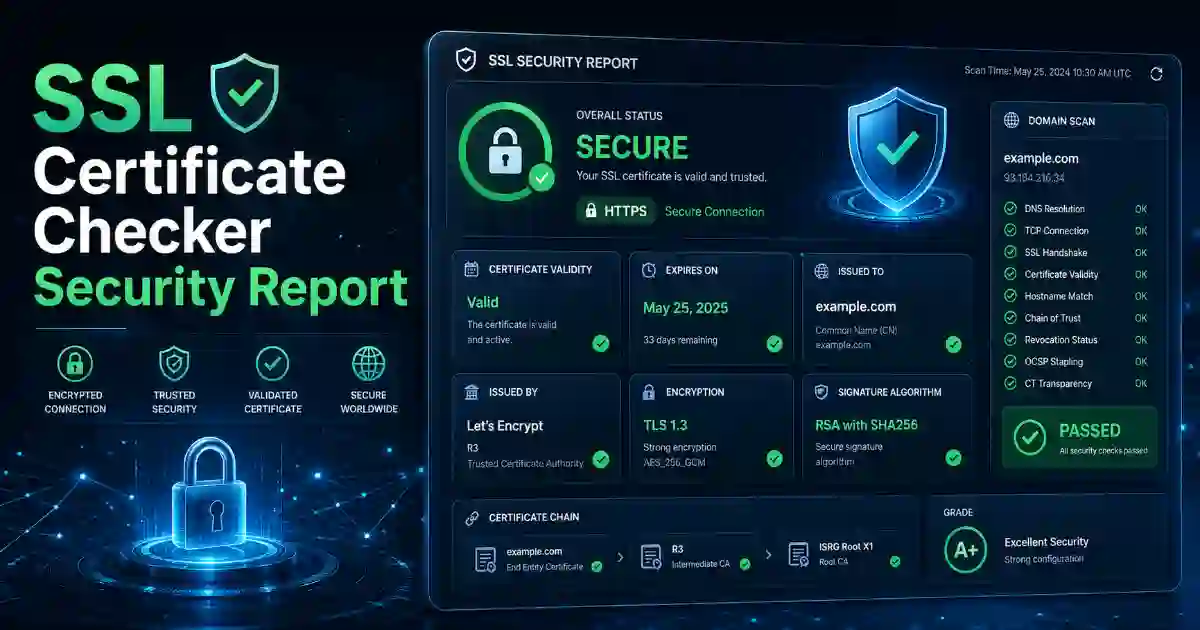
This SSL Certificate Checker helps you check important HTTPS and certificate details, including:
- SSL certificate status
- Expiry date
- Days remaining
- Certificate issuer
- Domain match
- HTTPS connection
- HTTP to HTTPS redirect
- TLS details
- HSTS status
- Common SSL errors
The tool should not only show data. It should explain what the result means in simple words.
Why Use This SSL Certificate Checker?
This SSL Certificate Checker helps you find HTTPS problems before visitors see browser warnings. It is useful after changing hosting, renewing SSL, adding Cloudflare, launching a new website, or moving from HTTP to HTTPS.
How to Use This Tool
- Enter a domain name, for example:
example.com. - Click Check SSL Certificate.
- Wait for the SSL report.
- Read the result explanation.
- Click Copy Result if you want to share the report with your developer, hosting provider, or client.
This is useful after changing hosting, adding Cloudflare, renewing SSL, moving from HTTP to HTTPS, launching a new website, or fixing a browser security warning.
What the SSL Result Means
- If your SSL certificate is valid, your website can load securely through HTTPS.
- If your SSL certificate is expired, renew it from your hosting provider, SSL provider, cPanel, Plesk, Cloudflare, or server dashboard.
- If there is a domain mismatch, the certificate may not cover the exact domain. For example, it may cover
www.example.combut notexample.com. - If HTTPS redirect is missing, visitors may still open the unsafe HTTP version of your website.
- If HSTS is missing, your website may not be forcing browsers to use HTTPS automatically in future visits.
A good SSL checker helps users understand the problem and know what to do next.
Why SSL Checking Matters
SSL is important for trust, privacy, and safe browsing. A valid SSL certificate helps protect login pages, contact forms, checkout pages, account areas, and other sensitive website actions.
Regular SSL checking can help prevent:
- Browser security warnings
- Lost visitors
- Failed checkout pages
- Broken login pages
- Lower customer trust
- Website support complaints
- Hosting or certificate renewal issues
For business websites, blogs, WooCommerce stores, SaaS platforms, schools, agencies, and nonprofit websites, SSL checking should be part of regular website maintenance.
Common SSL Problems and Fixes
Expired SSL Certificate
An expired SSL certificate means the certificate is no longer valid. Browsers may warn users before they open your website.
Fix: Renew the certificate and make sure automatic renewal is working.
Domain Name Mismatch
This happens when the SSL certificate does not cover the domain being checked.
Fix: Use a certificate that covers both example.com and www.example.com. For multiple subdomains, use a wildcard certificate.
HTTP Not Redirecting to HTTPS
If your website still opens on HTTP, users may not reach the secure version automatically.
Fix: Add a proper 301 redirect from HTTP to HTTPS.
Missing HSTS
HSTS helps browsers remember to use HTTPS for your website.
Fix: Enable HSTS only after confirming HTTPS works correctly on your full website.
Related Cybersecurity Tools
You may also find these tools useful:
- Password Generator — create strong passwords for website admin accounts and online tools.
- Password Strength Checker — check whether a password is weak, medium, or strong.
- Hash Generator — generate MD5, SHA-1, SHA-256, SHA-384, SHA-512, and checksum results.
- Base64 Encoder Decoder — encode and decode Base64 text for development and testing.
- What Is My IP Address — check your public IP address, ISP, browser, and network details.
Helpful External Resources
For deeper learning, visit:
FAQ
What is an SSL Certificate Checker?
An SSL Certificate Checker is an online tool that checks whether a website’s SSL certificate is valid, expired, trusted, or incorrectly installed.
Is this SSL Certificate Checker free?
Yes. This tool is free and does not require login.
Do you store my input?
No. We do not store your input.
Why does my website show “Not Secure”?
Your website may show “Not Secure” if SSL is missing, expired, incorrectly installed, or if some website files still load through HTTP.
What does SSL expiry mean?
SSL expiry means the certificate has reached its expiration date. You must renew it to keep HTTPS working correctly.
Can I copy the SSL result?
Yes. Use the Copy Result button to save or share the report with your developer, hosting provider, client, or security team.
How often should I check my SSL certificate?
Check your SSL certificate at least once a month. Also check it after changing hosting, domain settings, CDN settings, SSL provider, or Cloudflare settings.
Can this SSL Certificate Checker help fix HTTPS problems?
Yes. This SSL Certificate Checker helps you understand common HTTPS problems such as expired certificates, domain mismatch, missing redirects, and SSL warnings.