
Free Online IP Checker
What Is My IP Address?
Check the public IP address your current connection shows to websites. Use it for VPN testing, firewall allowlisting, ISP checks, remote support, hosting access, and privacy troubleshooting.
Copy only the IP, copy the full support result, or download a TXT file for your IT, hosting, VPN, or security support ticket.
Most useful actions
Common next steps
Browser and device privacy signals
These details help explain why some websites, logins, ads, or security systems may treat your connection differently.
User agent: —
Optional lookup
ISP and Approximate Location
Show approximate country, city, ISP, organization, ASN, and VPN/proxy/Tor signals when available. Results are useful for troubleshooting, not exact identity lookup.
Privacy test
Quick WebRTC Leak Check
Run this when you want to check whether your browser exposes another public IP through WebRTC. Some modern browsers hide local addresses by default.
Result explanation
What this result means
Your public IP address is the internet-facing address websites see when your browser connects to them. If you use a VPN, proxy, mobile network, office network, or hosting gateway, the IP shown may belong to that network rather than your personal device.
What Is My IP Address?
This free IP checker shows the public IP address your current internet connection is using. People often need this result for VPN testing, allowlisting an office connection, remote desktop setup, router troubleshooting, gaming server access, firewall rules, fraud checks, or support tickets.
The tool is designed for fast answers first: your IP appears at the top, then you can copy it, refresh it, compare privacy signals, and read what the result means without leaving the page.
How to Use This Tool
- Open the page and wait for your public IP address to appear.
- Click “Copy IP” if you only need the address, “Copy Full Result” for support tickets, or “Copy Allowlist Format” when a firewall or hosting panel needs CIDR format.
- Use “Show ISP & Location” only when you want approximate country, city, ISP, ASN, and VPN/proxy/Tor signals. These details are approximate.
- Turn your VPN on or off and refresh the page to compare whether your public IP changes.
What the Public Usually Wants from an IP Checker
A fast answer
The public IP should appear immediately, without login, popups, or confusing steps.
Copyable results
Support teams, hosting dashboards, and firewall tools often require copy-and-paste IP details.
Privacy clarity
Users want to know what their IP reveals, what it does not reveal, and whether the site stores their input.
VPN and leak guidance
Many visitors are checking whether a VPN, proxy, or browser privacy setting is working correctly.
Real Problems This Tool Helps Solve
VPN check
Confirm whether your VPN changes the public IP and approximate country shown to websites.
Firewall access
Copy your public IP in a support-friendly format for hosting, cloud dashboards, and security allowlists.
Login problems
Share IP, timezone, browser language, and network details when support teams investigate blocked logins.
Privacy awareness
Learn what websites can usually infer from an IP address and what they cannot know from IP alone.
What Can an IP Address Reveal?
A public IP address can usually reveal your approximate country or city area, internet service provider, network organization, and whether the connection looks like a residential, mobile, business, hosting, VPN, proxy, or data-center network. Accuracy depends on the IP database and the network type.
A public IP address alone normally does not reveal your exact home address, full name, phone number, password, or private files. However, websites can combine IP information with cookies, browser fingerprinting, account logins, and analytics, so privacy still matters.
IPv4 vs IPv6 Result
IPv4 addresses look shorter, such as 203.0.113.10. IPv6 addresses are longer and use hexadecimal characters, such as 2001:db8::1. Some networks use both. If your result changes between IPv4 and IPv6, it may be caused by your ISP, VPN, browser, or network route.
Privacy Note
We do not store your input. The basic IP check runs from your visit to this website. Optional ISP/location lookup is separate and should be used only when you want approximate IP intelligence details.
FAQ
Is this my public or private IP address?
This tool shows your public IP address, which is the address websites see. Your private local IP, such as 192.168.x.x or 10.x.x.x, is used inside your home or office network.
Why did my IP address change?
Your ISP, mobile network, VPN, proxy, router restart, or office network can assign a different public IP. Many residential connections use dynamic IP addresses.
Can someone find my exact address from my IP?
Usually no. IP geolocation is approximate and often points to a city, region, ISP gateway, or data center. It does not normally reveal a precise street address by itself.
How can I check if my VPN is working?
First check your IP with the VPN off. Then turn the VPN on, refresh this page, and compare the public IP and location. If the IP does not change, your VPN may not be active for this browser or network.
Why is the location wrong?
IP location databases are approximate. Mobile carriers, VPNs, proxies, satellite internet, corporate networks, and shared ISP gateways can make the location appear in another city or country.
Does this tool store my IP address?
This plugin does not create its own database record of your input. Server logs, CDN logs, security plugins, or analytics tools on a website may still record normal web requests depending on the site owner’s configuration.
What is allowlist format?
Some firewalls and cloud platforms ask for CIDR format. For a single IPv4 address, this is usually /32. For a single IPv6 address, this is usually /128.
Is this tool useful in Europe and premium countries?
Yes. The interface is simple, translation-ready, privacy-aware, and useful for common support, VPN, ISP, hosting, and security tasks across international audiences.
Related Cybersecurity Tools
What Is My IP Address? Free Public IP Checker
What Is My IP Address is a free online tool that shows the public IP address your device or internet connection is using right now. You can use it to check your IPv4 or IPv6 address, copy your IP, test whether your VPN is working, and troubleshoot internet, hosting, firewall, or support issues.
The tool is simple, fast, and mobile-friendly. No login is required. You can open the page, see your IP address at the top, copy the result, and use it when you need help with a website, VPN, router, hosting account, or workplace system.
Privacy note: We do not store your input.
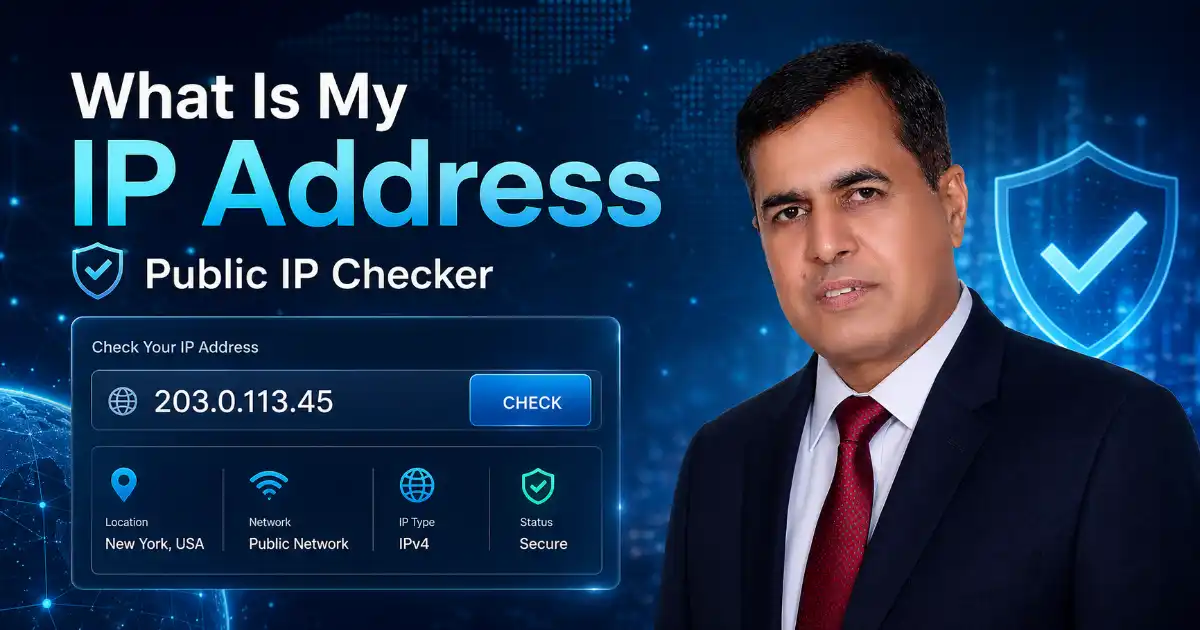
What Is My IP Address Tool?
The What Is My IP Address tool shows the public IP address that websites, apps, online services, hosting platforms, and support teams can usually see when you connect to the internet.
Your IP address works like a return address for your internet connection. When you open a website, stream a video, log in to an account, or use an app, your IP helps the internet send information back to the correct network.
This tool saves time because you do not need to open router settings, device menus, or command-line tools. Your public IP appears at the top of the page, and you can copy it with one click.
How to Use This Tool
Open the page and check your IP address at the top. If you need to share it with support, click the Copy Result button instead of typing it manually.
You can use this tool when you need to copy your IP for hosting support, check if your VPN is working, fix blocked website access, add your IP to a firewall allowlist, or confirm whether your connection is using IPv4 or IPv6.
Example: If your hosting company asks for your IP address, open this tool, copy your IP, and send it in your support ticket. This can help them check blocked login attempts, firewall rules, or security logs.
What Your IP Result Means
Your IP result shows the public address your current internet connection is using. This address may come from your home internet provider, mobile carrier, office network, school network, VPN service, proxy server, or hosting provider.
The result helps you understand which IP address websites can see, whether your connection uses IPv4 or IPv6, whether your VPN changed your visible IP, whether your approximate location looks correct, and whether your firewall allowlist needs to be updated.
Your IP result is not just a number. It can help solve real problems such as blocked admin access, VPN connection issues, hosting login problems, remote work restrictions, and network troubleshooting.
Why People Check Their IP Address
People search What Is My IP Address because they usually need a quick answer for a real problem.
Some users want to check if their VPN is active. Some need their IP address for hosting support. Others are trying to fix blocked WordPress, cPanel, server, gaming, or office dashboard access.
A good IP checker should not make users work hard. It should show the result first, explain what it means, and guide users to the next step.
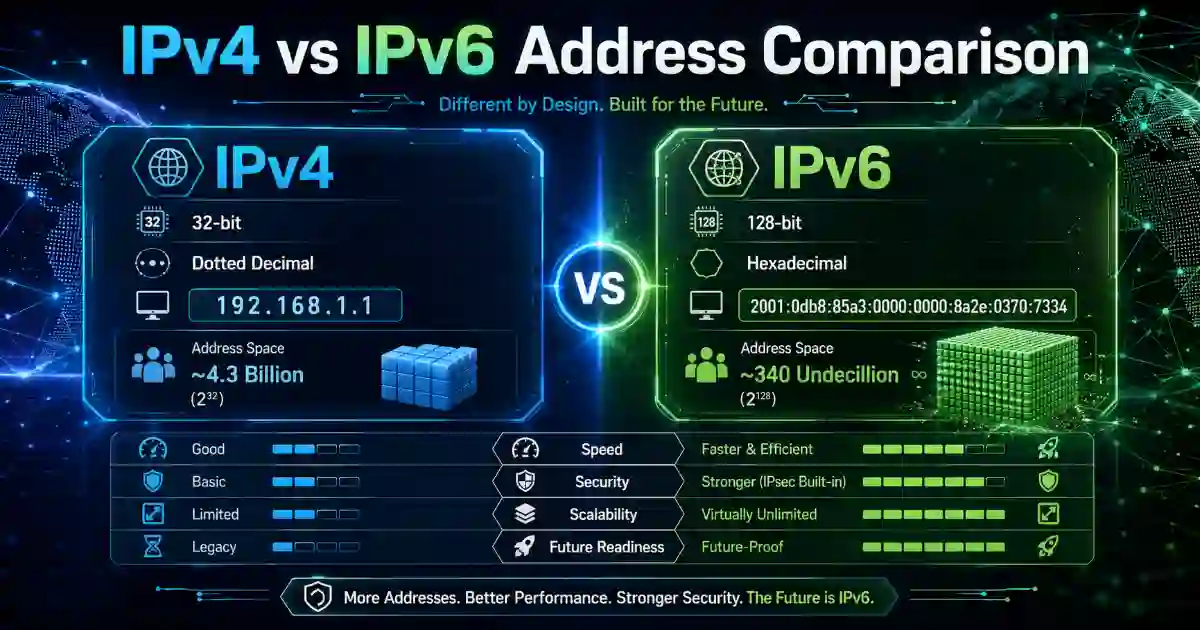
IPv4 vs IPv6
Your internet connection may use IPv4, IPv6, or both.
IPv4 is the older and shorter IP format. It usually looks like this: 192.0.2.1
IPv6 is newer and longer. It was created because the internet needed many more addresses for phones, laptops, routers, servers, smart TVs, cloud systems, and connected devices.
For most users, the simple point is this: both IPv4 and IPv6 help devices communicate online, but some VPNs, firewalls, websites, and hosting platforms may handle them differently. That is why this tool shows your visible IP type.
Public IP vs Private IP
A public IP address is visible on the internet. Websites and online services can usually see it when you connect.
A private IP address is used inside a local network, such as your home Wi-Fi, office network, school network, or business router.
Your phone, laptop, printer, smart TV, and router may each have private IP addresses inside your local network. But when you visit a website, the website usually sees your public IP address. That is why support teams normally ask for your public IP.
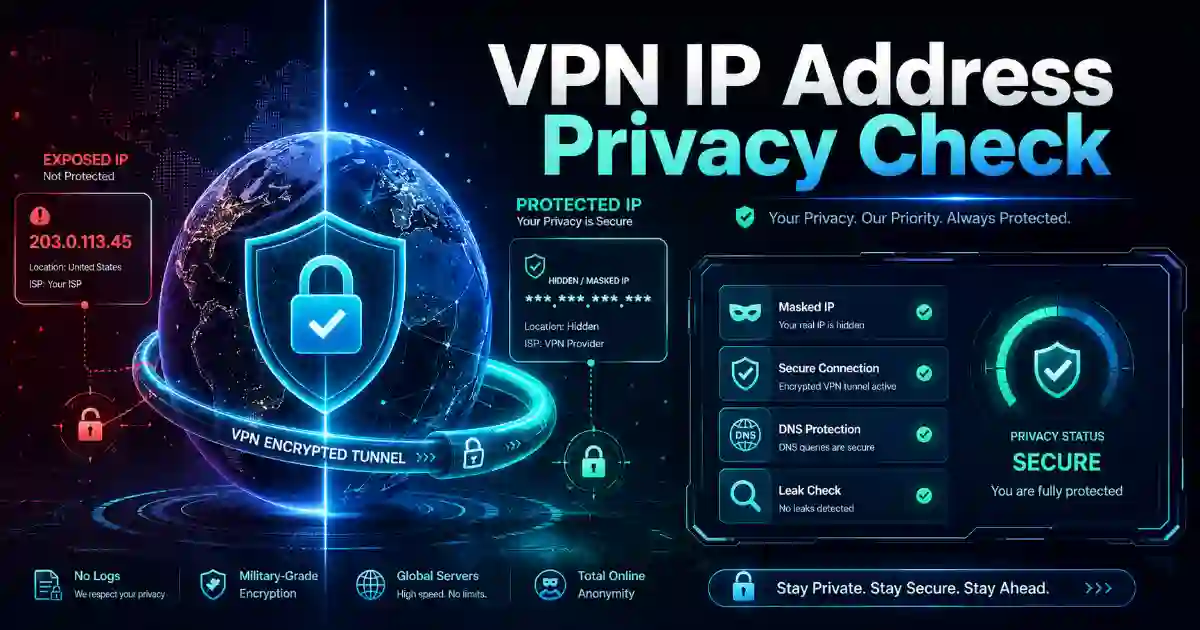
How to Check If Your VPN Is Working
You can use this tool to check whether your VPN is changing your visible public IP address.
First, disconnect your VPN and check your IP address. Then connect to your VPN and refresh the tool. If your IP address changes, your visible internet connection is likely using the VPN server.
If your IP does not change, your VPN may not be connected correctly. You may need to reconnect the VPN, switch to another server, restart the VPN app, or contact your VPN provider.
For stronger privacy testing, you can also use a trusted WebRTC leak test such as BrowserLeaks. This can help you check whether your browser is exposing extra network details.
Can an IP Address Show My Exact Location?
No, an IP address usually does not show your exact home address.
It may show approximate information such as country, region, city, ISP, or network provider, but it is not the same as GPS location.
IP location can be inaccurate. Your internet provider may route traffic through another city. A mobile network may show a regional location. A VPN may show the VPN server country instead of your real country. A business or cloud network may appear as a data center location.
So, your IP address is useful for network troubleshooting, but it should not be treated as exact physical location proof.
Common Problems This Tool Helps Solve
My website admin panel is blocked
Copy your public IP and send it to your hosting provider. They can check whether your IP was blocked by a firewall, login protection plugin, or server security rule.
For better account safety, you can also use the Password Generator to create stronger admin passwords and the Password Strength Checker to review password quality.
My VPN location is not changing
Check your IP before and after connecting to the VPN. If the IP remains the same, reconnect the VPN, switch server, restart the app, or contact your VPN provider.
My office dashboard says access denied
Your company may restrict access by IP address. Copy your current public IP and share it with your IT team through an approved support channel.
If your business wants to improve security basics, the Small Business Cybersecurity Scorecard Tool can help review common cybersecurity gaps.
A website shows the wrong country
Your ISP, VPN, proxy, mobile carrier, or IP location database may show a different location. IP location is approximate and can vary between services.
My IP changed after restarting the router
Many internet providers use dynamic IP addresses. Your public IP may change after a router restart, modem reset, mobile network change, or ISP reassignment.
Best Practices for IP Privacy
Your IP address is a normal part of internet communication, but you should still handle it carefully.
Avoid posting your IP address publicly on social media, forums, or comment sections. Share it only with trusted support teams, hosting providers, VPN providers, workplace IT staff, or security teams when needed.
For better privacy and security, use trusted Wi-Fi networks, keep your router updated, use strong router passwords, avoid unknown proxy services, and use a trusted VPN when privacy matters.
If you manage a website, admin panel, or business system, protect your accounts with strong passwords and multi-factor authentication. You can also use the Phishing-Resistant MFA Readiness Checker to review stronger login protection options.
Related Cybersecurity Tools
Use these Cybersecurity Time tools to improve your security, privacy, and troubleshooting workflow:
Password Generator — Create strong passwords, passphrases, and PINs instantly.
Password Strength Checker — Check whether your password appears weak, fair, or strong.
Hash Generator — Generate MD5, SHA-1, SHA-256, SHA-512, HMAC, and file checksum results.
Base64 Encoder/Decoder — Encode and decode Base64 text online.
Security Awareness Policy Generator — Create editable cybersecurity policy content for staff awareness.
Phishing-Resistant MFA Readiness Checker — Review passkeys, FIDO2, admin protection, and MFA maturity.
Small Business Cybersecurity Scorecard Tool — Review basic cybersecurity readiness for small businesses.
Image Compression Tool — Compress images for faster website loading and better user experience.
Helpful External Resources
For more trusted learning, you can review these resources:
Cloudflare: What is my IP address? — A simple explanation of IP addresses and how IPv4 and IPv6 work.
MDN Web Docs: IP Address — A clear technical definition of IP address from Mozilla’s web documentation.
CISA Secure Our World — Practical cybersecurity guidance for individuals, families, and businesses.
BrowserLeaks — A browser privacy testing website that can help users check WebRTC and other possible privacy leaks.
Frequently Asked Questions
What Is My IP Address?
What Is My IP Address means “what public internet address is my network using right now?” It is the address websites and online services can usually see when you connect.
Is this IP checker free?
Yes. This IP checker is free to use and does not require login or registration.
Do you store my IP address?
No. We do not store your input. The tool is designed to show your result clearly and help you copy it when needed.
Why does my IP address change?
Your IP address may change when you restart your router, switch networks, connect to mobile data, use a VPN, or receive a new dynamic IP from your internet service provider.
Can I use this tool to check my VPN?
Yes. Check your IP before connecting to your VPN, then connect your VPN and refresh the result. If the IP changes, your visible address is likely using the VPN server.
Why does my IP location show the wrong city?
IP location is approximate. It may show your ISP routing point, mobile network area, VPN server, business network, or data center location instead of your exact city.
What is the difference between IPv4 and IPv6?
IPv4 is the older, shorter address format. IPv6 is newer, longer, and supports far more internet-connected devices.
What is the difference between public IP and private IP?
A public IP is visible on the internet. A private IP is used inside a local network, such as your home, office, or school network.
Can someone find my home address from my IP?
Usually, no. An IP address may show approximate location and ISP details, but it normally does not reveal an exact home address.
Why do support teams ask for my IP address?
Support teams may need your IP address to check logs, unblock access, add your IP to a firewall allowlist, investigate login issues, or troubleshoot connection problems.
Should I share my IP address publicly?
Avoid posting your IP address publicly. Share it only with trusted support teams, hosting providers, VPN providers, or workplace IT administrators when needed.
Why is my IP different on Wi-Fi and mobile data?
Wi-Fi and mobile data use different networks. Your home internet provider and mobile carrier usually assign different public IP addresses.