
DMARC / SPF / DKIM Checker Pro
Check whether a domain is ready to fight spoofing, phishing, fake invoices, and inbox-delivery problems. Get a public-friendly score, provider readiness, exact DNS evidence, and clear fix steps.
How this checker helps real users
This tool is designed for website owners, ecommerce stores, SaaS teams, agencies, freelancers, and newsletter senders who need a fast answer without reading raw DNS manually.
- SPF shows which servers are allowed to send email for your domain.
- DKIM shows whether your email platform can publish cryptographic signing keys.
- DMARC tells receivers how to handle messages that fail authentication and helps stop domain spoofing.
- BIMI, MTA-STS, and TLS-RPT support stronger brand trust and safer mail transport when configured correctly.
DMARC, SPF, and DKIM FAQ
What should a strong domain have?
A strong domain usually has one valid SPF record, working DKIM for every sender, and a valid DMARC record. For stronger anti-spoofing protection, DMARC should eventually move from p=none to p=quarantine or p=reject after testing.
Can this tool prove full inbox delivery?
No DNS tool can guarantee inbox placement. This checker confirms public DNS readiness. Full delivery review also needs live email-header testing, sending reputation, bounce monitoring, spam complaint monitoring, and unsubscribe compliance.
Why does DKIM need a selector?
DKIM records are stored under selector._domainkey.example.com. Common selectors include google, default, selector1, selector2, k1, s1, and s2, but each email provider can use its own selector.
Why is more than one SPF record a problem?
A domain should publish only one TXT record starting with v=spf1. Multiple SPF records can cause SPF permanent errors and hurt authentication.
Does this plugin store checked domains?
No. It checks public DNS live and does not store domain input or results in WordPress. Temporary rate-limit counters may be used to protect the tool from abuse.
No login required. Enter your domain, run the check, and review your results instantly.
Privacy note: We do not store your input.
This tool is designed to be fast, mobile-friendly, and easy to use. You can also use the Copy Result button to save your report, share it with your developer, or keep it for DNS troubleshooting.
DMARC SPF DKIM Checker: 7 Powerful Email Security Tests
Use this DMARC SPF DKIM Checker to test your domain’s email security records and find problems that may affect email delivery, domain trust, and protection against spoofing. The tool checks SPF, DKIM, DMARC, MX, BIMI, MTA-STS, and TLS-RPT records in one place, so you can quickly understand what is working and what needs attention.

What Is a DMARC SPF DKIM Checker?
A DMARC SPF DKIM Checker is an online email security tool that checks whether your domain has the correct DNS records for email authentication.
These records help mail providers understand whether an email is really sent by your domain or whether someone may be trying to fake your domain name.
In simple words:
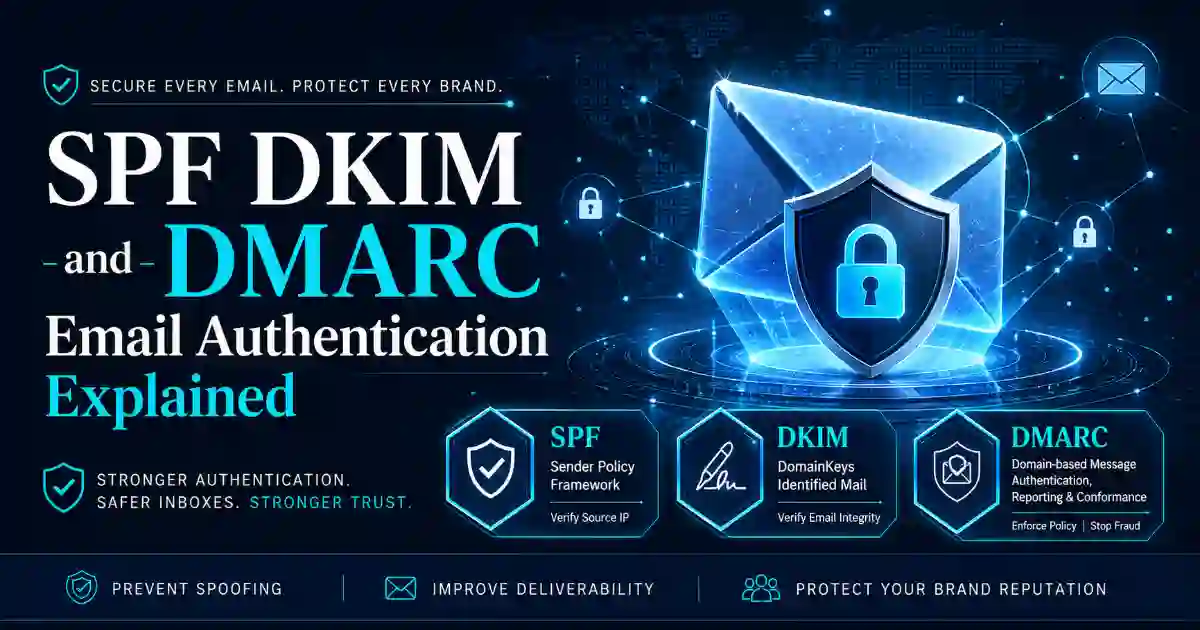
SPF tells email providers which servers are allowed to send email for your domain.
DKIM adds a digital signature to your email, helping receivers confirm that the message was not changed during delivery.
DMARC tells receiving mail servers what to do when an email fails SPF or DKIM checks.
When SPF, DKIM, or DMARC are missing or incorrectly configured, your emails may go to spam, fail delivery, or make your domain easier to spoof.
Why This Tool Is Important
Many website owners only notice email authentication problems after something goes wrong. A customer may say they did not receive an invoice. A newsletter may land in spam. A password reset email may fail. Someone may report a fake email that looks like it came from your domain.
This DMARC SPF DKIM Checker helps you detect those issues early.
It is useful if your website sends:
- Contact form replies
- Password reset emails
- Order confirmations
- Booking confirmations
- Invoices
- Support emails
- Newsletter campaigns
- Account alerts
- Business proposals
Email trust is important for every website, not only large companies. Even a small business domain can be used in phishing attempts if email authentication is weak.
What This DMARC SPF DKIM Checker Tests
This tool gives a clear report instead of showing confusing DNS output only. It checks important records and explains what the result means.
SPF Record Check
SPF stands for Sender Policy Framework. It tells mail servers which services can send email for your domain.
For example, your domain may use Google Workspace, Microsoft 365, Zoho Mail, Mailchimp, Brevo, SendGrid, Amazon SES, or another email platform.
This tool can help detect:
- Missing SPF record
- Duplicate SPF records
- Weak SPF policy
- Unsafe
+allvalue - Too many DNS lookups
- Old email services still listed
- Incorrect provider includes
A domain should normally have only one SPF record. Multiple SPF records can cause SPF failure.
DKIM Record Check
DKIM stands for DomainKeys Identified Mail. It adds a signature to your outgoing email so receiving mail servers can verify the message.
This checker helps identify:
- Missing DKIM record
- Wrong DKIM selector
- DKIM not enabled
- Broken DKIM public key
- DKIM CNAME record
- Common selector records
Common DKIM selectors include:
default
google
selector1
selector2
k1
mail
smtp
Your correct selector depends on your email provider.
DMARC Record Check
DMARC stands for Domain-based Message Authentication, Reporting, and Conformance. It works with SPF and DKIM to help protect your domain from fake email.
A DMARC policy can be:
p=noneThis means monitoring only.
p=quarantineThis means suspicious messages may be sent to spam or quarantine.
p=rejectThis means failed messages should be rejected.
A new domain may start with p=none for monitoring. After checking real email sources, a stronger policy such as p=quarantine or p=reject can improve protection.
MX Record Check
MX records show which mail servers receive email for your domain. If MX records are missing or wrong, your domain may not receive email properly.
This is useful after changing hosting, moving email providers, or editing DNS settings.
BIMI Check
BIMI stands for Brand Indicators for Message Identification. It can help supported inboxes display a verified brand logo when email authentication is strong.
BIMI is not required for every website, but it can help professional brands improve inbox trust.
MTA-STS Check
MTA-STS helps improve email transport security by telling mail servers to use encrypted delivery when possible.
This is useful for businesses that want stronger protection beyond basic email authentication.
TLS-RPT Check
TLS-RPT allows a domain owner to receive reports about email transport security problems. It helps technical teams find delivery and encryption issues.
How to Use This Tool
Using the DMARC SPF DKIM Checker is simple.
- Enter your domain name, such as
example.com. - Add a DKIM selector if you know it.
- Click the check button.
- Review the passed, warning, and failed results.
- Read the explanation under each result.
- Use the Copy Result button if you want to save or share the report.
- Update your DNS records if needed.
- Check again after DNS propagation.
You do not need to create an account. You do not need to share your hosting password, domain registrar login, or email account details.
The tool checks public DNS records only.
What Your Result Means
This tool does not only show output. It explains the meaning of each result so users can understand what to fix.
Passed Result
A passed result means the record was found and appears valid.
Examples:
- SPF record found
- DKIM selector found
- DMARC record found
- MX record found
This is a good sign, but you should still review the details to make sure your policy is strong enough.
Warning Result
A warning means the record exists, but it may be weak, incomplete, or not ideal.
Examples:
- DMARC policy is set to
p=none - SPF uses soft fail
- BIMI is missing
- MTA-STS is not configured
- DKIM selector was not found automatically
Warnings are not always urgent, but they are worth reviewing.
Failed Result
A failed result means an important email security record is missing or has a serious problem.
Examples:
- No SPF record found
- No DMARC record found
- Duplicate SPF records found
- Missing MX records
- DKIM record not found
Failed checks should usually be fixed first because they can affect email delivery and domain protection.
Common Problems and Fixes
Problem: No SPF Record Found
If SPF is missing, receiving mail servers may not know which services are allowed to send email for your domain.
Example SPF record:
v=spf1 include:_spf.google.com ~allThis is only an example. Your real SPF record depends on your email provider.
Problem: Multiple SPF Records
A domain should normally have only one SPF record.
Wrong example:
v=spf1 include:_spf.google.com ~all
v=spf1 include:sendgrid.net ~all
Better example:
v=spf1 include:_spf.google.com include:sendgrid.net ~allCombining services into one SPF record helps avoid SPF failure.
Problem: Unsafe SPF +all
An SPF record ending with +all is usually unsafe because it allows almost anyone to send email for the domain.
Risky value:
+allSafer values are usually:
~allor:
-allUse the right option based on your email setup.
Problem: No DKIM Record Found
If DKIM is missing, your email provider may not have DKIM enabled, or the DKIM selector may be wrong.
Check your email provider’s DKIM setup page and copy the exact selector. After adding the DNS record, wait for DNS propagation and test again.
Problem: No DMARC Record Found
If DMARC is missing, your domain has less control over fake or unauthenticated email.
Starter DMARC example:
v=DMARC1; p=none; rua=mailto:dmarc@example.comStart with monitoring, then move to a stronger policy after confirming your legitimate email sources are passing SPF and DKIM.
Problem: DMARC Policy Is Too Weak
A p=none policy is useful for monitoring, but it does not actively block spoofed messages.
Stronger policies include:
p=quarantineand:
p=rejectMove carefully. A strict DMARC policy should be used after your real email sources are correctly configured.
Related Cybersecurity Tools
Use these related tools to check more website, DNS, domain, and security details:
- SSL Certificate Checker — check SSL certificate validity and expiry.
- DNS Lookup Tool — check DNS records for a domain.
- DNS Propagation Checker — check whether DNS changes are updated worldwide.
- WHOIS RDAP Lookup Tool — check domain registration details.
- What Is My IP Address — find your public IP address.
- Password Generator — create strong passwords and passphrases.
- Hash Generator — generate hashes and checksums.
- Base64 Encoder Decoder — encode and decode Base64 text.
External Resources
For deeper learning, add these trusted external links:
- Google Email Sender Guidelines
- Yahoo Sender Best Practices
- M3AAWG Email Authentication Resources
- Google Search Central Helpful Content Guide
These resources help users understand email authentication, sender trust, helpful content, and real user experience.
User Experience Notes for This Tool Page
To make this page useful and user-friendly, keep the tool near the top of the page. Users should not scroll too much before they can check a domain.
The page should also be:
- Fast loading
- Mobile-friendly
- Easy to read
- Clear on small screens
- Designed with stable layout
- Simple enough for beginners
- Useful enough for technical users
Google recommends helpful, reliable, people-first content. Core Web Vitals also matter because users care about loading speed, smooth interaction, and layout stability.
A good tool page should solve the user’s problem quickly, then explain the result clearly.
FAQ
What is a DMARC SPF DKIM Checker?
A DMARC SPF DKIM Checker is a tool that checks whether your domain has valid SPF, DKIM, and DMARC records. These records help protect your domain from fake email and improve email trust.
Is this tool free?
Yes. This tool is free to use and does not require login.
Do you store my input?
No. We do not store your input.
Why is SPF important?
SPF tells receiving mail servers which systems are allowed to send email for your domain. It helps reduce unauthorized sending.
Why is DKIM important?
DKIM adds a digital signature to email messages. It helps receiving servers verify that the message was signed by an authorized sender and was not changed.
Why is DMARC important?
DMARC tells receiving mail servers what to do when email fails authentication. It helps domain owners monitor abuse and reduce spoofed email.
Can this tool improve email deliverability?
The tool does not directly deliver email, but it can help find authentication issues that may affect inbox trust. Fixing SPF, DKIM, and DMARC problems can support better email deliverability.
Why is my DKIM record not found?
Your DKIM selector may be wrong, DKIM may not be enabled, or the DNS record may not have propagated yet.
How often should I check my domain?
Check your domain after changing email providers, editing DNS records, adding newsletter software, moving to Google Workspace or Microsoft 365, or starting a large email campaign.
What should I fix first?
Fix failed checks first. Start with missing SPF, missing DMARC, duplicate SPF records, missing MX records, and missing DKIM records. Then review warnings and strengthen your policy step by step.