
International SEO, UX & Public Trust Diagnostic
Website SEO Analyzer
Analyze public SEO, accessibility, UX, trust, compliance, and AI-search readiness with clear issue-to-solution recommendations. Built for global users, premium countries, and Europe. No login required — we do not store your input.
Checking crawlability, indexability, on-page SEO, content quality, international signals, AI-search readiness, and search-engine targets.
How to use this tool
- Enter the full website URL.
- Choose the main target market if relevant.
- Click Analyze Website SEO.
- Fix Critical and High issues first, then improve content, trust, speed, and AI-search readiness.
Result explanation
The report is designed for normal website owners, bloggers, agencies, and businesses. Every issue includes why it matters and what to do next, so users can solve problems instead of only seeing a score.
Privacy Note:
We do not store your input. Your website URL is checked only to generate the SEO report.
Website SEO Analyzer: 9 Powerful Fixes for SEO Results
Website SEO Analyzer Tool
Enter your website URL and check important SEO issues, technical errors, content quality, page experience signals, and clear fix recommendations.
This tool is built for users who want a simple answer, not a confusing technical report. You can scan your website, review the SEO score, understand each issue, and copy the result for later use.
Tool Features
- No login required
- Fast loading and mobile-friendly
- Copy result button
- Clear SEO score
- Critical, High, Medium, and Low issue labels
- Google, Bing, Yandex, and AI search recommendations
- Simple explanations for every issue
- Beginner-friendly fix suggestions
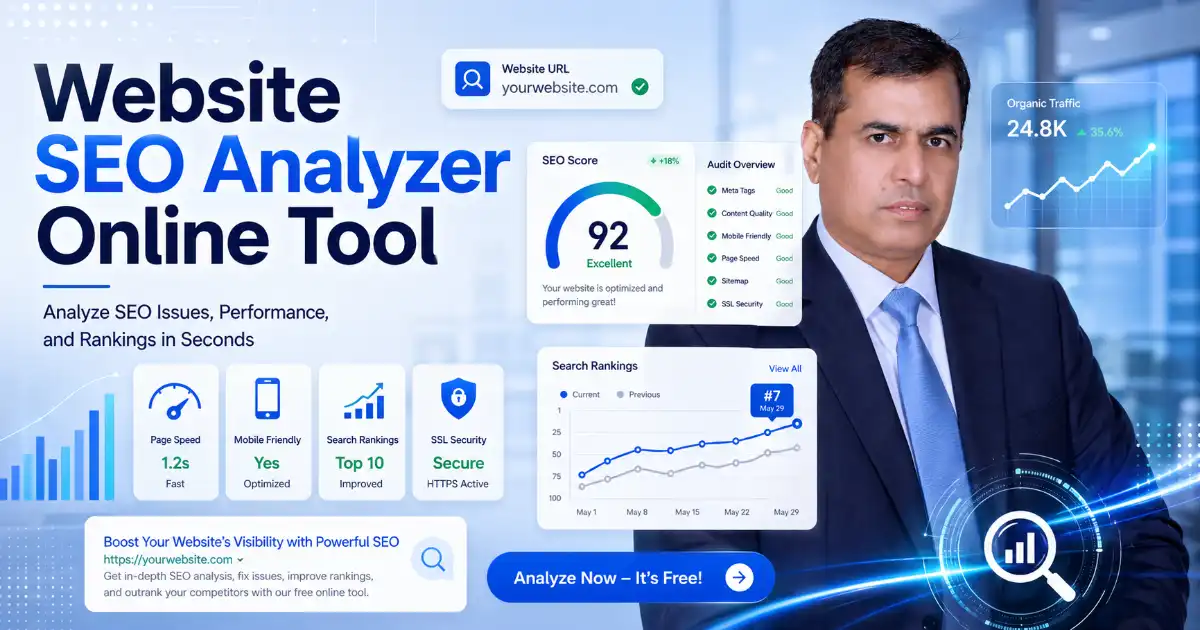
What is a Website SEO Analyzer?
A Website SEO Analyzer is an online tool that checks a web page and finds problems that may affect search visibility, traffic, and user experience.
A website can look modern and professional but still have hidden SEO issues. Common problems include missing SEO titles, weak meta descriptions, blocked pages, missing sitemap files, poor headings, no internal links, slow loading speed, missing image alt text, and thin content.
This tool helps users understand those issues in a simple way.
Instead of only showing a score, the report explains:
What is wrong → Why it matters → How to fix it
That makes the tool useful for business owners, bloggers, agencies, developers, freelancers, e-commerce stores, local businesses, and website managers.
Why This Website SEO Analyzer Is Useful
Most users do not want complicated SEO language. They want to know what is wrong with their website and what they should fix first.
This Website SEO Analyzer helps answer practical questions:
- Is my page indexable?
- Is my SEO title correct?
- Is my meta description missing?
- Is my content too short?
- Are my headings properly structured?
- Are my images optimized?
- Do I have internal links?
- Is my website secure?
- Is my page mobile-friendly?
- What SEO issue should I fix first?
The goal is not only to show errors. The goal is to help users improve their website step by step.
How to Use This Website SEO Analyzer
Using the tool is simple:
- Enter your website URL.
- Click Analyze Website SEO.
- Review your SEO score.
- Check Critical and High priority issues first.
- Read what each issue means.
- Follow the recommended solution.
- Click Copy Result to save or share the report.
- Fix the issues and scan your website again.
This makes the tool helpful for both beginners and professionals.
What the SEO Result Means
The SEO result is not only an output. It is a guide that helps users understand the condition of their page.
SEO Score
The SEO score gives a quick overview of your page health.
| Score | Meaning |
|---|---|
| 90–100 | Excellent SEO condition |
| 75–89 | Good, but some improvements are needed |
| 50–74 | Several SEO issues should be fixed |
| 0–49 | Critical SEO problems need attention |
Issue Priority
Each issue should show a priority level.
| Priority | Meaning |
|---|---|
| Critical | Can block crawling, indexing, or major SEO performance |
| High | Strong impact on search visibility |
| Medium | Important for SEO and user experience |
| Low | Helpful improvement but not urgent |
| Passed | No major issue found |
This helps users avoid confusion. They can start with the most important problems first.
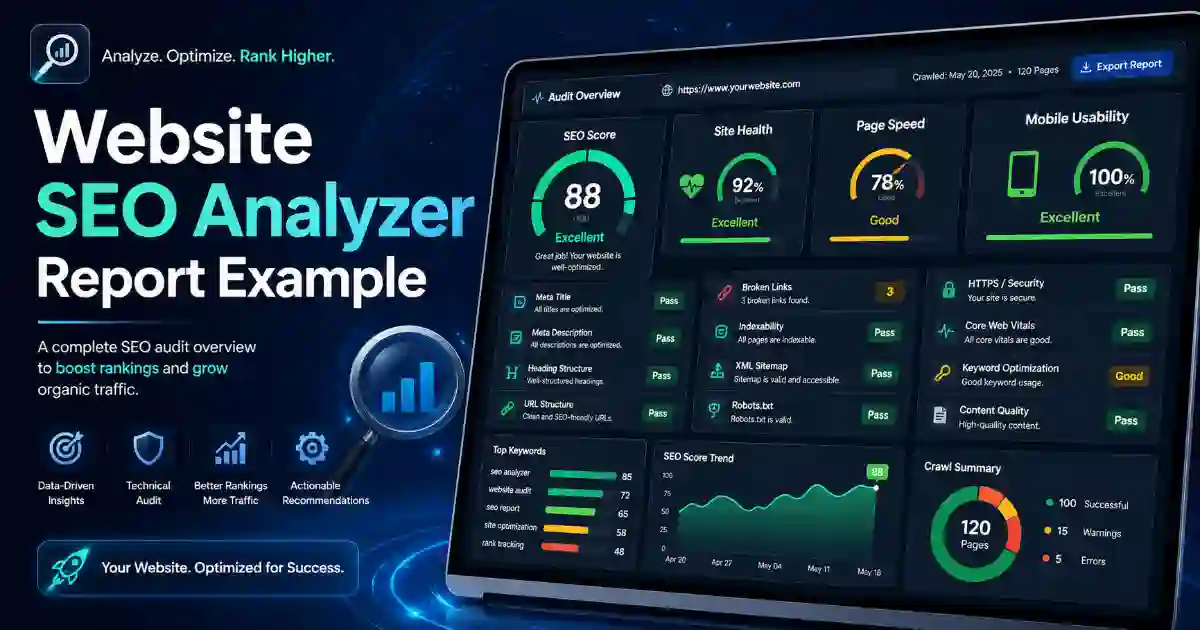
Basic SEO Checks
The Website SEO Analyzer checks important on-page SEO signals that help search engines and users understand your page.
SEO Title Check
Your SEO title is one of the first things users may see in search results.
Common Issue:
The focus keyword is missing from the SEO title.
Why It Matters:
A weak title can make your page harder to understand and less attractive in search results.
Recommended Fix:
Use the focus keyword near the beginning of the title. Add a number, power word, and clear benefit.
Example:
Website SEO Analyzer: 9 Powerful Fixes for SEO Results
Meta Description Check
A meta description explains what your page offers.
Common Issue:
The meta description is missing, too long, too short, or unclear.
Why It Matters:
A helpful description can improve user understanding before they click.
Recommended Fix:
Write a natural description that explains the benefit of the page.
Example:
Use this Website SEO Analyzer to check SEO issues, technical errors, content quality, speed signals, and clear fix recommendations.
SEO-Friendly URL Check
A clean URL is easier to read, remember, and share.
Common Issue:
The URL is too long or does not include the focus keyword.
Recommended Fix:
Use a short and clear URL.
Good URL:
/website-seo-analyzer/Content Length Check
A tool page should not contain only a form. Users also need a clear explanation, examples, result meaning, FAQs, and helpful next steps.
Common Issue:
The page has thin content.
Why It Matters:
Thin content may not fully solve the user’s problem. It can also make the page look incomplete.
Recommended Fix:
Add helpful content below the tool. Explain what the tool checks, how to use it, what the result means, and how to fix common issues.
Long content does not bore users when it is useful and easy to scan. Users get bored when content repeats the same point or does not help them solve a problem.
Technical SEO Checks
Technical SEO helps search engines crawl, index, and understand your website.
Sitemap Check
A sitemap helps search engines discover important pages.
Common Issue:
The sitemap is missing.
Why It Matters:
Search engines may discover your pages more slowly.
Recommended Fix:
Create an XML sitemap and submit it to Google Search Console, Bing Webmaster Tools, and Yandex Webmaster.
External Resource:
Google Sitemap Documentation
Robots.txt Check
Robots.txt tells search engine crawlers which areas of your website they can access.
Common Issue:
Important pages are blocked.
Why It Matters:
Blocked pages may not be crawled correctly.
Recommended Fix:
Check your robots.txt file and make sure public pages are not blocked.
Noindex Check
A noindex tag tells search engines not to show a page in search results.
Common Issue:
An important page has a noindex tag.
Why It Matters:
The page may not appear in search results.
Recommended Fix:
Remove noindex from pages that should be indexed.
Canonical Tag Check
A canonical tag tells search engines which version of a page is the preferred version.
Common Issue:
The canonical tag is missing.
Why It Matters:
Duplicate or similar URLs can confuse search engines.
Recommended Fix:
Add a self-referencing canonical tag to the main page URL.
HTTPS Check
HTTPS protects users and builds trust.
Common Issue:
The website is not secure.
Why It Matters:
Users may not trust a website that shows browser security warnings.
Recommended Fix:
Install an SSL certificate and redirect HTTP pages to HTTPS.
Helpful Internal Tool:
Use the SSL Certificate Checker to check your SSL status and expiry date.
Content and User Experience Checks
Good SEO is not only about search engines. It is also about helping visitors.
A high-quality tool page should be easy to read, easy to use, and useful enough that visitors do not need to search again for the same answer.
Table of Contents
A table of contents helps users jump to the section they need.
Recommended Fix:
Add a clickable table of contents near the top of long content.
Short Paragraphs
Short paragraphs are easier to read, especially on mobile devices.
Recommended Fix:
Keep paragraphs clear and simple. Avoid long blocks of text.
Rich Media
Images, screenshots, diagrams, and videos can make technical topics easier to understand.
Recommended Fix:
Add useful images that explain the tool, the SEO report, and common SEO fixes.
Image Alt Text
Image alt text helps accessibility and gives more context about an image.
Common Issue:
Images are missing alt text.
Recommended Fix:
Add descriptive alt text.
Example Alt Text:Website SEO Analyzer report showing SEO issues and fix recommendations
Core Web Vitals and Page Experience
A good tool page should be fast, stable, and easy to use on mobile. Core Web Vitals measure real user experience for loading performance, interactivity, and visual stability. Google recommends good Core Web Vitals for Search success and for better user experience generally.
For this tool page, improve:
- Fast loading speed
- Mobile-friendly layout
- Stable design with no layout shift
- Clear button placement
- Lightweight images
- Simple form design
- Fast result generation
- Easy copy result button
This helps users stay longer and makes the page feel more professional.
Related Tools
Add this Related Tools section below the main explanation. It helps users continue solving website, DNS, SSL, and security problems.
- DNS Lookup Tool — Check DNS records for your domain.
- DNS Propagation Checker — See if DNS changes have updated worldwide.
- SSL Certificate Checker — Check SSL certificate status and expiry.
- Security Headers Checker — Review website security header protection.
- WHOIS RDAP Lookup Tool — Check domain registration details.
- URL Safety Checker — Check suspicious links before opening them.
- DMARC SPF DKIM Checker — Check email authentication records.
- What Is My IP Address — View your public IP address and privacy details.
- Hash Generator — Generate MD5, SHA, and checksum hashes.
- Password Generator — Create strong passwords and passphrases.
Trusted External Resources
Add these trusted external resources for users who want to learn more.
- Google Search Central
- Google SEO Starter Guide
- Google Search Essentials
- Google Core Web Vitals
- Bing Webmaster Tools
- Yandex Webmaster
- Schema.org
- IndexNow
Who Should Use This Website SEO Analyzer?
Website Owners
Use it to find hidden SEO problems and understand what to fix first.
Bloggers
Use it to improve titles, descriptions, headings, images, internal links, and content quality.
SEO Agencies
Use it to create quick client reports with clear issue priorities.
Developers
Use it to check technical SEO before launching a website.
E-commerce Stores
Use it to find issues that may affect product visibility and customer trust.
Local Businesses
Use it to improve service pages, location pages, trust signals, and search readiness.
Best Practices for This Tool Page
To make this page strong for users, search engines, and AdSense quality, include:
- Tool at the top
- Free public access
- Fast loading design
- Mobile-friendly layout
- Copy result button
- Clear result explanation
- Helpful guide below the tool
- FAQ section
- Related tools section
- Internal links
- Trusted external links
- Privacy note
- Images with alt text
- Examples of how to use the tool
- Short paragraphs
- Clear headings
- Original content
AdSense recommends pages with unique content that is relevant to visitors and provides a good user experience.
Final SEO Checklist
Before publishing this page, check:
- Tool is placed at the top
- Free public access
- Copy result button is available
- Privacy note is visible
- Page is mobile-friendly
- Page loads quickly
- Focus keyword is in SEO title
- Focus keyword is in meta description
- Focus keyword is in URL
- Focus keyword appears in the first paragraph
- Focus keyword appears in at least one subheading
- Content explains how to use the tool
- Content explains what the result means
- Internal links are added
- External links are added
- Images have alt text, title, caption, and description
- FAQ section is included
- Related tools section is included
- Content is original and useful
- Ads do not block the tool or content
Frequently Asked Questions
What is a Website SEO Analyzer?
A Website SEO Analyzer is a tool that checks a website page for SEO issues, technical problems, content gaps, indexing signals, and user experience improvements.
Do I need to create an account?
No. This tool should work without login. Users can enter a URL and get a report quickly.
Does this tool store my website URL?
No. Add this privacy note clearly: We do not store your input.
What does the SEO score mean?
The SEO score gives a quick view of your page condition. A higher score means fewer detected issues. A lower score means the page needs more improvements.
What should I fix first?
Start with Critical issues, such as noindex tags, blocked crawling, missing title tags, broken pages, or insecure HTTP pages. Then fix High and Medium priority issues.
Is this tool useful for Google SEO?
Yes. It checks important Google SEO signals such as crawlability, indexability, titles, descriptions, content quality, mobile usability, and structured data.
Is this tool useful for Bing and Yandex?
Yes. It can help identify sitemap, robots.txt, metadata, IndexNow, and technical SEO issues that matter for Bing and Yandex visibility.
Why should I add internal links?
Internal links help users find related tools and help search engines understand your website structure.
Why should I add external links?
External links to trusted resources help users verify information and learn from official sources.
Do long articles bore users?
Long articles do not bore users when they are useful, organized, and easy to scan. Users get bored when content repeats the same ideas or does not solve their problem.
Is this page suitable for AdSense?
This page is designed with AdSense-friendly principles: original content, helpful explanation, clear navigation, internal links, external references, images, FAQs, and a good user experience. Approval is not guaranteed because Google reviews the full website.
Conclusion
A Website SEO Analyzer should do more than show a number. It should help users understand their website problems and fix them with confidence.